Yes. Transparency is essential.

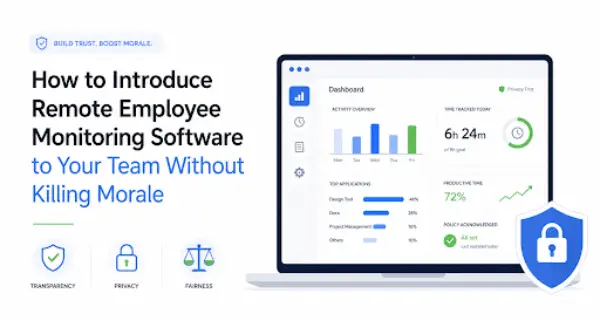
Rolling out remote employee monitoring tool is not simply an IT project. It changes how work is observed, measured, and discussed. If employees discover the system after it is installed or hear vague explanations such as “it’s just for productivity,” trust can disappear quickly.
The better approach is to treat monitoring as an organizational policy change. Before launch, define the business problem, collect only the data needed to solve it, explain exactly what the software can and cannot see, train managers to interpret the data responsibly, and give employees a way to challenge misleading conclusions.
Tools like Apploye, a remote employee monitoring software used for time tracking and productivity insights, are often introduced for this purpose. In some cases, teams even start by testing a free employee monitoring software option before committing to a full rollout, but the success of any tool depends far more on implementation and communication than on the software itself.
The goal is not to convince employees that monitoring is harmless. It is to prove that the program is necessary, limited, transparent, and fair.
Why Employee Monitoring Can Hurt Morale
Employee concerns about monitoring are not irrational. A 2022 meta-analysis covering 70 independent samples found electronic monitoring was associated with slightly lower job satisfaction and slightly higher stress. Another meta-analysis found that more transparent and less invasive monitoring tends to produce better employee attitudes, while monitoring without a clear purpose was not associated with improved performance.
The problem is partly context. A developer reading documentation can look idle. A salesperson on a client call may not touch a keyboard for 30 minutes. Someone planning on paper may generate no digital activity at all.
That is why monitoring data should start a conversation, not automatically become a verdict.
Start with the business problem, not the software.
| Business problem | Better first step | Monitoring justified? |
| Missed deadlines | Clear project and output KPIs | Usually not initially |
| Poor availability during core hours | Set availability expectations | Usually not initially |
| Client billing verification | Time/project tracking | Often |
| Data-loss or security risk | Security monitoring | Often |
| Workload imbalance | Aggregated workforce analytics | Possibly |
| Suspected misconduct by one person | HR/performance process | Do not monitor everyone by default |
| “We don’t know if remote staff are working” | Define measurable outcomes | Weak justification |
If management cannot explain the purpose in one or two sentences, the rollout is not ready.
Use the least invasive data that can reasonably solve the problem.
| Monitoring type | Morale risk | Better approach |
| Project/task completion | Low | Prefer |
| Working hours/time tracking | Low–Medium | Use when relevant |
| Aggregated app usage | Medium | Limit to business need |
| Website history | Medium | Scope carefully |
| Idle/active time | Medium–High | Never equate directly with productivity |
| Screenshots | High | Use sparingly, mask sensitive content |
| Message/content monitoring | High | Reserve for legitimate security or compliance |
| Keystroke content logging | Very high | Avoid except exceptional cases |
| Webcam/audio monitoring | Extreme | Avoid for ordinary productivity management |
| Off-hours monitoring | Extreme | Avoid |
Employees should also receive specific answers to the questions they will naturally ask: What can you see? Are screenshots taken? Can messages be read? Is monitoring active after work? Are personal devices covered? Who sees the data? How long is it stored? Can it affect discipline? Can employees see or dispute their records?
“Be transparent” is not a policy. Those answers are.
Remote teams can create additional compliance complexity because employees may work in different states.
For example, New York requires covered private employers to provide notice for specified electronic monitoring. Connecticut requires prior written notice of covered electronic monitoring, subject to exceptions. Maine introduced additional workplace-surveillance notice and privacy requirements that took effect in 2026.
Do not assume one nationwide policy automatically satisfies every state. Before rollout, have HR and qualified employment counsel review requirements wherever monitored employees work, including rules involving notice, personal devices, communications, audiovisual monitoring, and data use.
This article provides general information, not legal advice.
Your written policy should answer:
Some companies using tools like Apploye or even a trial often overlook this step and jump straight into deployment, which is where most trust issues begin.
Brief managers before employees. A transparent policy loses credibility if three managers give three different explanations.
Tie monitoring to a concrete need such as security, billing, compliance, workload planning, or time tracking.
Ask whether clearer goals, project management, security controls, or normal performance management could solve the problem first.
Collect what the stated purpose requires, not everything the software is capable of collecting.
Review employee locations, notice obligations, device policies, retention, access controls, and monitoring boundaries.
Managers must understand that activity is not the same as output.
Explain the purpose, demonstrate the dashboard where practical, publish the policy, and allow questions.
Run a two to four week pilot, then formally review after 30 days.
“We are introducing an employee monitoring tool to help us address [specific business problem]. We understand that monitoring raises reasonable questions about privacy and trust, so we want to explain exactly how it will work.
The system will collect [data]. It will not collect [data]. Monitoring will operate during [hours] on [devices]. Access will be limited to [roles], and information will be retained for [period].
We will use the information for [purposes]. We will not use a single activity score as an automatic measure of performance or discipline. If data is inaccurate or missing important context, you can raise that with [manager/HR/process].
We will pilot the program, gather feedback, and review it after 30 days before deciding what needs to change.”
Specificity matters more than reassuring slogans.
| Don’t say | Say instead |
| “If you’re doing your job, you have nothing to worry about.” | “You deserve to know exactly what we collect and how we use it.” |
| “This isn’t a big deal.” | “We understand this changes how work is measured.” |
| “We just need to make sure everyone is working.” | “We’re trying to solve a specific business problem.” |
| “The software tells us who is productive.” | “The data is one input, and managers still need context.” |
Explain the business problem. If you cannot, reconsider monitoring.
No. Outcomes matter more than activity.
Only if explicitly stated in policy.
Provide a correction process.
Run a survey before and 30 days after rollout.
If trust drops and outcomes don’t improve, the system needs adjustment.
Ask:
Yes. Transparency is essential.
Focus on outcomes, not activity.
They can be if overused.
Yes, where possible.
Only as long as necessary.
The best monitoring rollout is not one employees barely notice—it is one they clearly understand.
Define the problem, minimize data collection, explain everything clearly, train managers, and measure whether trust and performance both improve.
If you cannot explain why monitoring is necessary and how it is controlled, it is not ready to launch.